
How to Apply for a South Africa eVisa
Apply for your South Africa eVisa online before travel. Follow the steps below to complete your application, from registration to approval.
South Africa eVisa-Eligible Nationalities
Check the list of countries eligible for a South Africa eVisa before you apply, and prepare all required documents in advance.
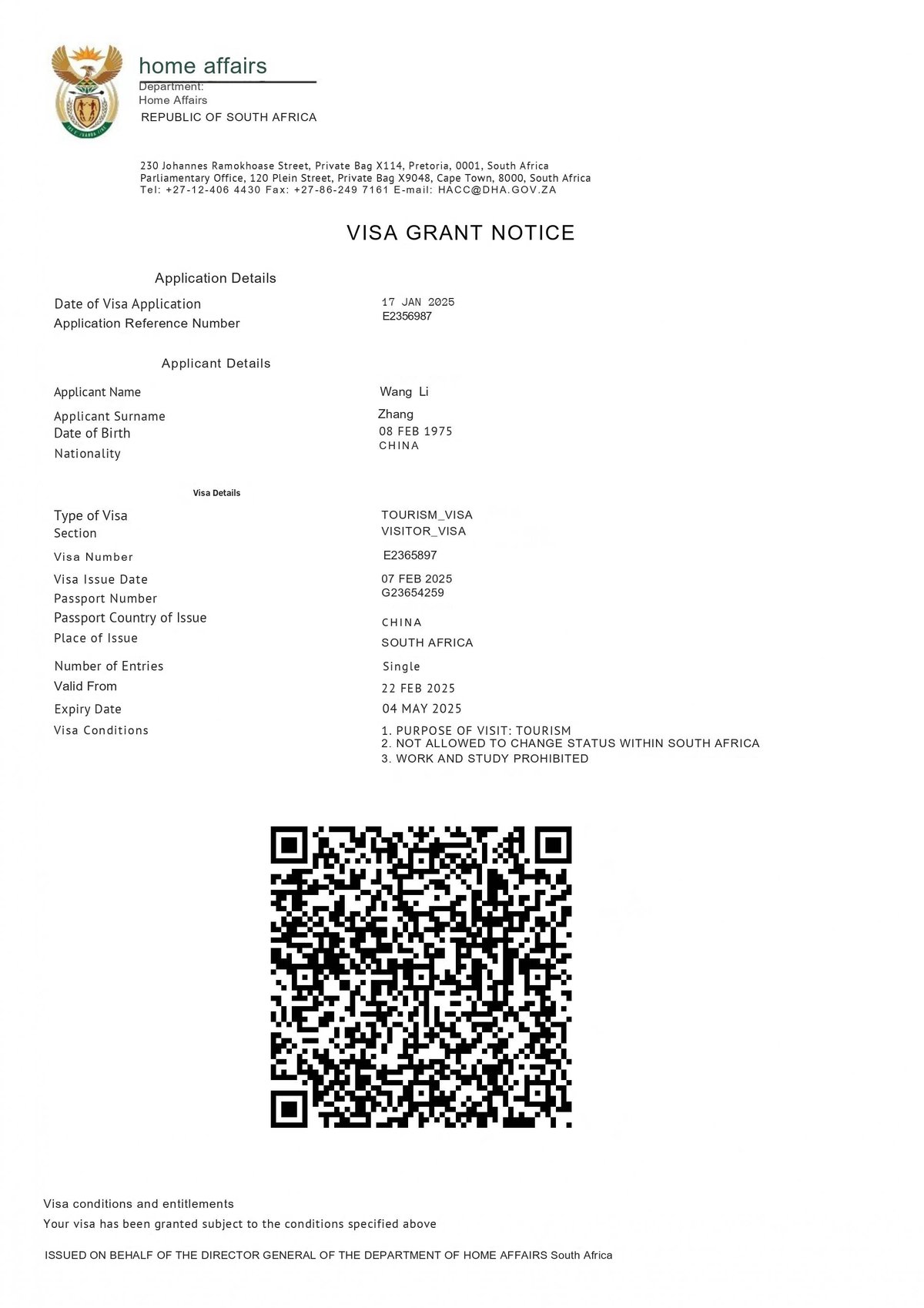
South Africa eVisa Application Process
Step 1: Applicant Registration
Register on the South Africa eVisa application portal by providing the following details:
- Full name
- Email address
- Contact number
- Date of arrival
- Date of departure
- Nationality details as per your passport
Verify the CAPTCHA and submit your registration.
Step 2: Filling the South Africa eVisa Application Form
Applicants must select the South Africa eVisa type that matches their reason for travel, then enter accurate passport details, travel reason and other required details related to their nature of work.
Required Passport Details:
- Passport Number
- Passport Issue country
- Passport Issue and expiry date
Step 3: Adding Multiple Applicants (If Required)
Applicants can add up to 10 applicants to a single application. Enter accurate details for each traveller. All approved eVisa are delivered to the primary applicant’s email address.
Step 4: Selecting Processing Time
Select the available processing time: normal processing, rush processing and super-rush processing. The South Africa eVisa fee varies depending on the processing option selected by the applicant.
Step 5: Reviewing Application
Review the applications carefully and make the necessary corrections before proceeding.
Step 6: Uploading Documents
Check the required documents for the South Africa eVisa before applying, and upload clear scans of all the required documents.
Step 7: Pay the Fee and Submit
Pay the South Africa eVisa fee using a credit/debit card, PayPal, or cryptocurrency. Once payment is confirmed, a receipt is issued, and processing of your application starts.
Step 8: Status Tracking and Approval
Application status updates are sent to the applicant via email regularly. The approved South Africa eVisa is sent by email. Download it, print a copy, and carry it during travel.
Things to Keep in Mind
- Kindly provide the correct contact details, such as phone number and email ID.
- Upload only valid documents to avoid resubmission.
- Contact the visa support team via email, WhatsApp, live chat, or calls to get assistance for filling out the application form.
- Apply at least 1 week before travelling.
FAQs
Yes. Your eVisa is electronically linked to the passport used during the application.
Yes. Applications are processed through secure, encrypted systems.
Yes. Each child travelling to South Africa must have their own approved eVisa.
Yes. Your details and documents may be checked at the port of entry.
Content Disclaimer: Updated in August 2026. Check with authorities, embassies, and airlines for current requirements.
